
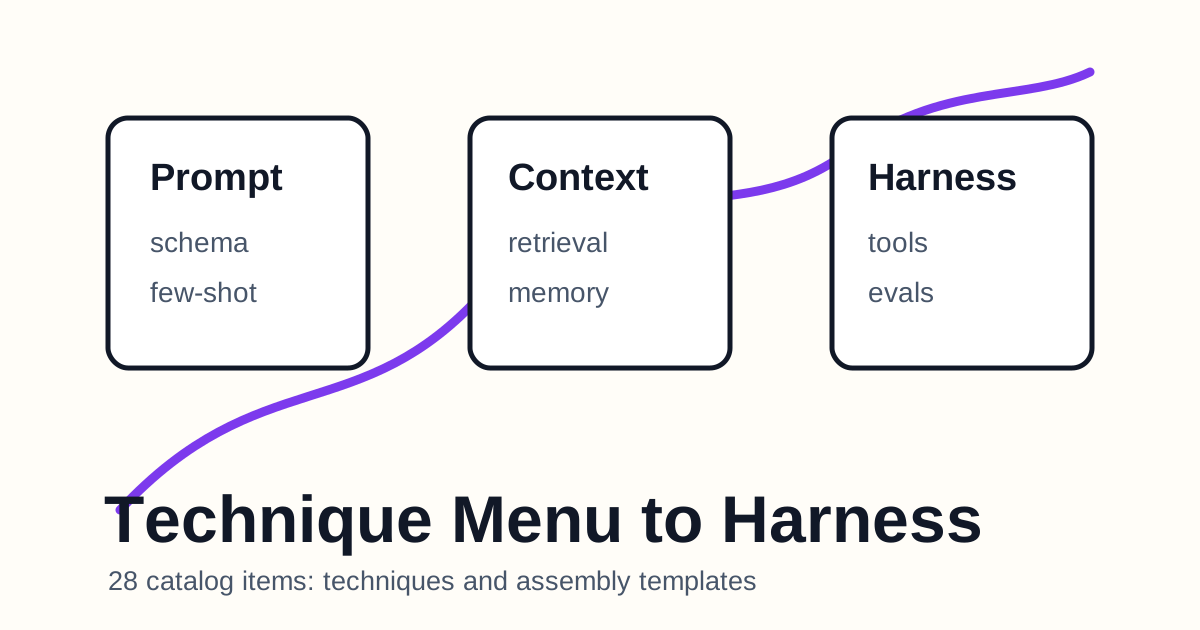
Read enough prompt engineering material and technique lists pile up quickly: be clear, use XML, add examples, retrieve context, use schemas, ask for self-checks. The problem is that more techniques can make the actual choice less clear.
The final 28 items in the PCH-Optimizer catalog show the problem nicely. Techniques are a menu. To turn that menu into work, we must connect each technique to a diagnosed defect and an appropriate layer.
| Bundle | Items | Role |
|---|---|---|
| Technique - Prompt | 8 | Fix wording and output contracts |
| Technique - Context | 8 | Fix information selection and ordering |
| Technique - Harness | 8 | Fix tools, loops, state, and evaluation |
| Assembly Template | 4 | Assemble final artifacts by type |
| Total | 28 | The technique and assembly layer |
Together with the previous two notes covering 45 and 42 items, this completes a blog-level reading of all 115 PCH-Optimizer prompt catalog items.
A Technique Is an Option, Not a Prescription
The trap in a technique menu is “add all the good things.” PCH-Optimizer pushes the opposite way. Choose only the techniques that match diagnosed defects, and explain techniques deliberately left out.
XML structure is useful, but not every short prompt needs it. A self-check block is useful, but it can damage the rhythm of a simple creative prompt. For a long-running agent, however, self-verification is not decoration. It is survival.
Techniques are not universal prescriptions. They are context-dependent options.
Prompt Techniques: Turning Sentences into Contracts
The eight Prompt techniques can be read as clarification, right-altitude role setting, XML structure, canonical few-shot examples, reasoning room, output schema, decomposition/chaining, and self-verification.
The movement is from sentence to contract.
| Defect | Possible technique |
|---|---|
| The goal is fuzzy | Clear, direct, positive instruction |
| The role is too strong or too weak | Right-altitude role setting |
| Sections are mixed together | XML or structured sections |
| Output varies too much | Output schema and prefill |
| The task is too large | Decomposition and chaining |
Prompt techniques are not about intimidating the model with elaborate wording. They clarify the behavior and answer shape.
Context Techniques: Becoming the Editor of Information
The eight Context techniques include high-signal tokens, ordering, just-in-time retrieval, citation, compaction, external memory, context-rot mitigation, and subagent isolation.
This bundle fits the broader context-engineering conversation. Context is not a warehouse that only gets better when it grows. It is an attention budget paid every turn. Context techniques decide what to show, when to show it, and what to keep outside the window.
In practice:
- Put always-needed policy near system instructions.
- Retrieve task-specific material when needed.
- Store long-term state in files or notes, not chat memory alone.
- Avoid burying critical information in the middle.
- Call subagents with narrow, clean context.
Context techniques are not about making prompts longer. They are about lighting the model’s field of view.
Harness Techniques: Designing the Structure Outside the Model
The eight Harness techniques cover minimal tools, agent loops, state artifacts, init/executor split, E2E checks, clean-state handoff, entropy garbage collection, and reproducible evaluation harnesses.
This layer stretches prompt engineering the most. Instead of asking the model to “do well,” we build a workbench that makes good work more likely.
Imagine a blog-publishing agent. A useful harness includes:
| Harness element | Blog workflow example |
|---|---|
| Tool set | File reading, Markdown writing, build, deploy, URL verification |
| Loop | Research -> draft -> translate -> build -> public verification |
| State artifacts | Article map, glossary, term decisions |
| Completion criteria | Public URL 200, hreflang, image, key body text |
| Handoff | Commit SHA, deploy SHA, remaining work |
The prompt is only one part of the system. Without a harness, a good sentence still wobbles in operation.
Assembly Templates Change by Type
The four Assembly Template items treat T1/T2/T7, T3, T4/T5, and T6 differently.
| Type | Assembly pattern |
|---|---|
| T1/T2/T7 | role, context, instructions, examples, output_format, self_check |
| T3 | Add retrieval_policy and citation_rules |
| T4/T5 | system_prompt, tool_specs, loop_policy, state_policy |
| T6 | Split initialization prompt from execution prompt |
Ignoring these differences bloats prompts. Adding an agent harness to a one-shot prompt is too much. Treating long-running work like a single prompt is too little.
Good assembly is not one impressive template. It is enough structure for the type.
Reading All 115 Items as a Blog Series
The whole PCH-Optimizer prompt catalog now falls into three blog bundles.
| Article | Covered items | Count |
|---|---|---|
| PCH-Optimizer Is an Operating System for Prompts | Meta, principles, input, classification, scope, pipeline, output contract | 45 |
| Good Prompts Carry Both a Diagnostic Table and a Rubric | Prompt/Context/Harness diagnostics, verification, anti-patterns | 42 |
| Turning a Prompt Technique Menu into a Harness | Prompt/Context/Harness techniques, assembly templates | 28 |
| Total | Entire PCH-Optimizer prompt catalog | 115 |
The catalog is no longer just a spreadsheet. It is a topic map that can keep expanding through the blog.
Prompt Idea from This Bundle
1 | Using the diagnostic results for my prompt, |
This prompt does not list techniques. It connects diagnosis, technique, and assembly. That connection is what turns a prompt catalog from reference material into a working system.
댓글
GitHub 계정으로 의견을 남길 수 있습니다. 댓글은 GitHub Discussions에 저장됩니다.