When a repository such as grok-build appears, the first question is often: “Is this a free coding agent?” The accurate answer is only partly yes. The source code and CLI can be used without a license fee, while xAI model calls and local inference have their own costs.
This is a practical assessment of that distinction and of a laptop with a Ryzen AI 9 HX 370, Radeon 890M integrated graphics, and roughly 28GB of system memory.
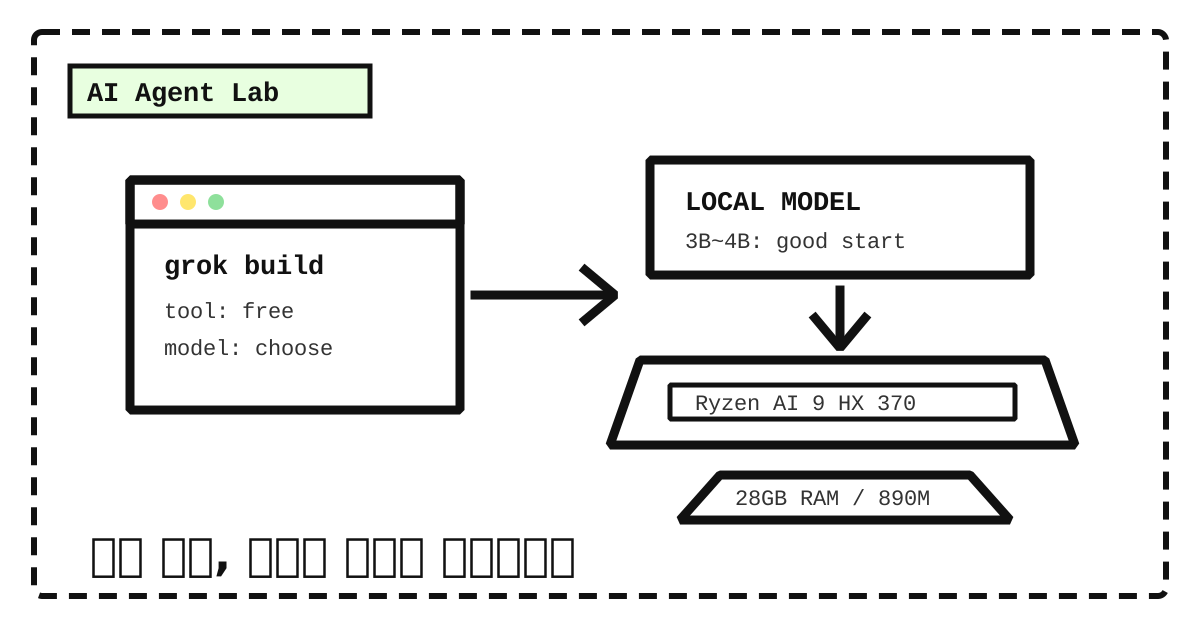
Short version: a quantized 3B–4B model is a realistic local coding assistant here. A 7B–8B model may run, but with slower responses and a narrower working range. A 14B-and-larger model is a poor fit for an always-on coding agent on this machine.
Separate the tool from the model bill
Grok Build is a coding agent with a fullscreen terminal interface, file editing, shell execution, web search, and headless operation. Its first-party source is licensed under Apache-2.0. Downloading the tool, studying its architecture, or forking it does not itself create a license charge.
Using an xAI model through the API is different. As listed in July 2026, grok-build-0.1 costs $1 per million input tokens and $2 per million output tokens; other models have different rates. Prices can change, so the xAI pricing page should be checked before real use.
| Layer | Free? | What is actually consumed |
|---|---|---|
| Grok Build source and CLI | Yes | Installation and maintenance time |
| xAI API model | Usage billed | Tokens and tool invocations |
| Local model | No API bill | Disk, power, memory, and waiting time |
In practice, “using it for free” means either making few or no xAI API calls, or connecting the agent to a local model server.
Can Grok Build sit on top of a local model?
Yes. The official documentation shows how to register a custom model with a model ID, base_url, and environment key in ~/.grok/config.toml. That makes it possible to connect a local runtime that exposes an OpenAI-compatible API. Grok Build overview
1 | Grok Build |
Connection is not the same as usefulness. A coding agent spends more resources than a short chat response: it reads files, holds context, calls tools, and may revise repeatedly. Memory, acceleration, and acceptable latency matter before model names do.
What this machine can reasonably do
| Component | Observed specification | Practical implication |
|---|---|---|
| CPU | AMD Ryzen AI 9 HX 370, 12 cores / 24 threads | Enough baseline capacity for CPU inference. |
| System memory | About 28GB | Room for small and medium quantized models. |
| GPU | AMD Radeon 890M integrated graphics | It must be treated differently from a discrete GPU with large dedicated VRAM. |
| Reported graphics memory | About 4GB | Too small to keep a large model entirely resident on the GPU. |
The 890M is an integrated GPU that shares system memory. Whether a runtime runs a model, and how much of that model is accelerated, depends on the driver and backend rather than on the nominal GPU name alone.
Ollama documents Windows support for AMD Radeon GPUs. Its Windows ROCm list, however, mainly names discrete Radeon RX and Radeon Pro cards. Additional hardware can use the Vulkan path, whose result needs to be verified on the actual driver and machine. See the Ollama Windows guide and its hardware-support page.
A sensible model-size starting point
This is intentionally a usability judgment rather than a claim about whether a process can start. It assumes a Q4-style quantized model.
| Model size | Assessment on this machine | Suitable work |
|---|---|---|
| 1.5B–4B | Recommended | Code explanation, short edits, documentation, command help |
| 7B–8B | Conditional | One-off analysis of a small repository, when slower responses are acceptable |
| 14B+ | Not recommended | Latency and context headroom make it a poor always-on coding agent |
Context length, the quantization format, background applications, and actual GPU acceleration can all change the result. Still, beginning with a 3B–4B model is more useful than downloading a large model and creating an agent that is too slow to use.
The smallest useful experiment
- Install a local runtime such as Ollama and update the AMD graphics driver.
- Download one 3B–4B code model.
- Measure response time and memory use with short prompts.
- Connect Grok Build to the local
base_urlas a custom model. - In a small Git repository, try only: explain a file, change one function, and run a test.
Avoid enabling unattended approval at the start. Grok Build supports --always-approve in headless mode, but a local model can still misunderstand an instruction or enter an unhelpful loop. Keep approvals on, restrict the files and commands, and verify the change. Headless & Scripting
Use local and hosted models as a division of labor
| A local 3B–4B model | A stronger hosted API model |
|---|---|
| First-pass summaries of code and logs | Large design changes |
| Function-level draft edits | Debugging across many modules |
| Documentation, comments, and command drafts | Long-context reasoning and important decisions |
| Simple tasks that should not leave the machine | Final code review |
The value of a local model is not only avoiding an API bill. It also keeps small recurring tasks nearby and makes the file boundary under the operator’s control. For complex work, the cost of a human waiting can exceed model pricing.
The workflow, not the parameter count, is the decision
This is not a machine that cannot run local AI. Nor is it a workstation built to push large models at high speed. The best starting point is therefore modest: use a small model for repeated tasks, record response time and edit quality in a real project, and let those observations decide whether to keep local inference, combine it with APIs, or eventually buy more GPU capacity.
댓글
GitHub 계정으로 의견을 남길 수 있습니다. 댓글은 GitHub Discussions에 저장됩니다.