Conclusion First
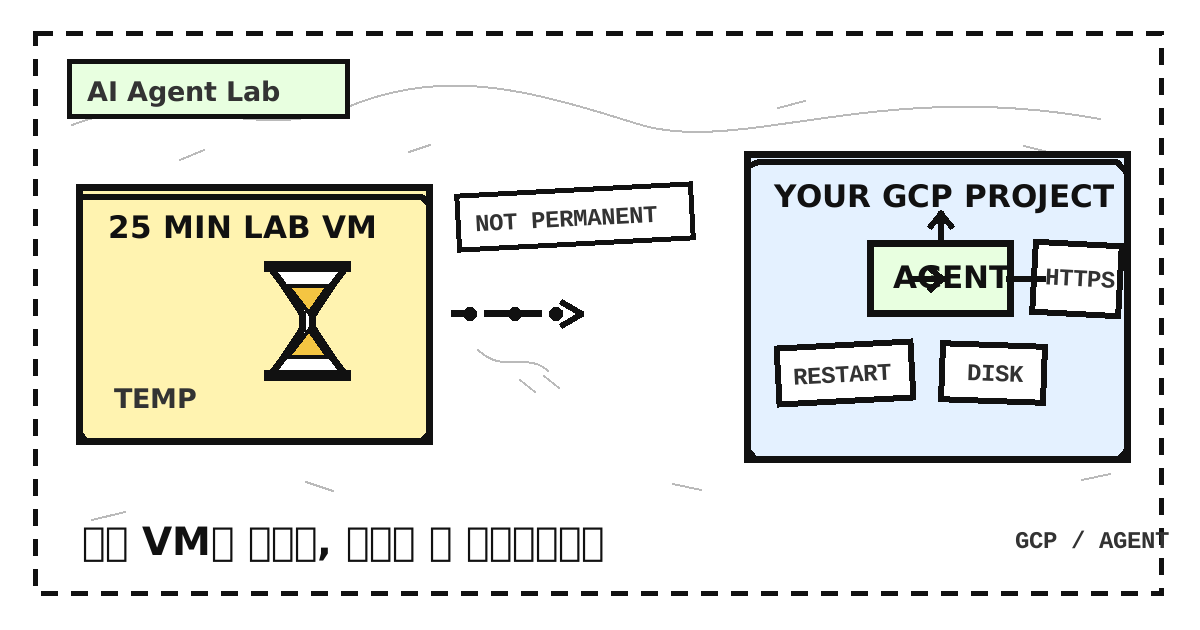
Running an AI agent on Google Cloud is possible. But the 25-minute VM provided by the Google Cloud Skills Boost GSP001 lab is not a permanent host. It is a learning environment for understanding the basic Compute Engine flow, not an operating environment for keeping an agent process running.
If you want the agent to keep running after the lab, you need to redesign the operating resources and access policies in a separate Google Cloud project. The key question is not, “How do I keep the lab VM alive?” It is, “How do I choose an execution model for the agent in an environment I can maintain?”
What GSP001 Actually Teaches
GSP001 gives first-time VM users a short tour of the essential flow. You create a VM in the Google Cloud Console and confirm the VM-creation flow with gcloud as well. It is not a tutorial for completing a production environment, but it matters because you can directly verify how these tasks connect:
- Choose a Debian image and create a VM.
- Use the console or
gcloudto connect to the VM over SSH. - Install NGINX inside the VM and run a web server.
- Confirm the firewall exposure that allows port 80 so the web page can be reached from outside.
This process makes the idea of “a computer in the cloud” concrete. A VM appears inside a project; you log in to the operating system, run a process, and receive outside requests according to network rules. An agent ultimately runs on this execution environment too. But the create-connect-expose flow you verify in a lab and the work of operating a real service continuously are not the same problem.
Why You Cannot Keep Using the Lab VM
First, the lab has a limited timer. GSP001’s 25 minutes are time to learn, not a permanent lease for the VM. Once the timer ends, access to the lab environment may end or resources may be cleaned up, so you cannot treat the processes and local files running there as always-on operating assets.
Second, the credentials used to log in are temporary credentials for learners. This account and its permissions are provided for the scope of the lab; they are not meant to be retained and used like an operations account for a personal project. You should also avoid leaving API keys or service-account keys on the lab VM.
Third, resources such as the VM and firewall rules exist within the scope created by the lab. Remembering a resource name or IP address does not turn it into an asset in your Google Cloud project. The lab teaches the basic principles of creating and accessing a VM; persistent storage, restart, security, and cost management need to be prepared separately.
What Changes When You Make It Always-On
The first boundary for always-on operation is the account and billing setup. Create a personal or organizational Google Cloud project, and decide who is responsible for the costs and resources. Do not mix the Skills Boost learner account with the account, permissions, and resources of your own project. Rather than asserting an exact price up front, first confirm that the compute, disk, and network resources you use, along with model API usage, will be reflected in the budget.
Next, the process must not be tied to a terminal session. An architecture where the agent stops when you close the SSH window is not operations. On a VM, use systemd or another process-supervision tool to define behavior after a reboot or failure. If you choose a container, make its restart policy part of the operating rules. When the type of agent has not yet been decided, it is safer to define this execution contract before writing specific runtime-installation commands.
You also need to decide where state lives. If the agent’s work history, queue, uploaded files, or configuration is needed after a restart, use a persistent disk or database and prepare a backup method. If state exists only in a container or temporary file system, it may be lost when an instance is replaced or a deployment is repeated.
Keep secrets out of code and images. Store model API keys and other credentials in a secret-management path such as Secret Manager, and use a least-privilege service account so the agent can read only what it actually needs. SSH access, firewall rules, and service accounts should each be reviewed as separate boundaries.
Finally, the fact that opening port 80 made a web page visible does not mean operations are complete. Apply HTTPS and authentication to the endpoint that will receive real requests, and decide who can invoke which tasks. An agent exposed on a public network may expose model API calls or file-processing permissions along with it, so logs and failure paths also belong within the scope of operations.
Compute Engine and Cloud Run Compared
Neither service is always the right answer. Choose based on the agent’s process lifetime and state-management model, whether it uses a browser, and how much operational work the team can handle.
| Criterion | Compute Engine | Cloud Run |
|---|---|---|
| Process lifetime | Design long-running processes and restart policies directly inside the VM. | Design around a container that handles requests; this is not a VM-like model for keeping a process running continuously. |
| Local state | Attach a persistent disk to preserve files, and define backup and recovery procedures alongside it. | Do not assume container-local files are durable; keep state in external storage. |
| Browser automation | A natural choice when long-running work or a persistent browser process is needed. | Fit short automation that finishes within a request, and design to externalize session state. |
| Operational work | Directly manage operating-system patches, firewalls, process supervision, disks, and logs. | Focus on the container image, service settings, authentication, and logs while accounting for request-level constraints. |
| Suitable starting point | Agents that need long-running work, browser automation, or durable local files. | Stateless, request-based API agents and work that only needs to be handled when invoked. |
Running 24 Hours and Being Callable Anytime Are Different
“Callable anytime” does not mean “run a process on a VM 24 hours a day.” If the agent starts only when a user sends an HTTPS request and records the result in external storage, a request-based deployment may be more natural for a stateless service. The service can use a container while it handles the request; it does not need a separate VM process running through idle periods.
Conversely, if a long-running task must not be interrupted, or a browser session, local files, or a specific process must stay alive, starting only when a request arrives is not enough. In that case, it may be right to manage the lifetime and storage of a VM such as Compute Engine directly. The important thing is to write down whether “24 hours” means availability, process persistence, or responsiveness to requests.
API Models and Local Models
If the agent calls an external model API instead of hosting the model itself, you can first consider starting the application on a general-purpose CPU VM and calling the model API over the network. In that setup, the VM’s role is to host the agent process and tool calls, not to run model inference. API credentials should be passed through a secret-management system rather than hard-coded.
If you run the model directly inside the VM, you need to assess the required memory and compute resources. Depending on the model’s size and usage, a GPU may be necessary, and the cost and operational complexity can be much higher than an API-calling setup that starts on a general CPU VM. Instead of fixing a particular price or performance figure, validate the resources and budget after you have defined the model and traffic.
A Minimal Architecture
The following is a minimum boundary to check first, regardless of which agent framework you choose.
1 | User |
NGINX is only an optional entry point. Whether you use a Cloud Run service endpoint or place a proxy in front of a VM, apply HTTPS, authentication, and authorization checks according to the agent’s actual scope of work.
Operations Checklist
Before deployment, you should be able to answer these questions:
- Have you decided on the agent’s runtime and call interface?
- Which execution model fits this work better: a VM or Cloud Run?
- Have you placed persistent data needed after a restart on a disk or in a database?
- Have you defined
systemdor a container restart policy? - Are model API keys and other secrets managed through Secret Manager?
- Does the service account have only the minimum required permissions?
- Have you applied HTTPS and authentication?
- Can you inspect logs from the agent, proxy, and cloud operations?
- Do you have backup and recovery procedures for important data and configuration?
- Have you set a budget and budget alerts for the project?
Next Steps
For a first deployment of a stateless, request-based agent, starting on Cloud Run is simple. If the agent needs long-running work, browser automation, or durable local files, choose Compute Engine and operate the process, disk, security, and logs directly.
Either way, the next step is to specify the runtime and external interface of the agent. Once those details are fixed, you can narrow down the required image, restart policy, storage, and authentication method. The VM creation and SSH access learned in GSP001 are good starting points, but always-on operation begins when the account, budget, state, and security boundaries of your project have been designed.
댓글
GitHub 계정으로 의견을 남길 수 있습니다. 댓글은 GitHub Discussions에 저장됩니다.